Review in 3D
Open large IFC models in a fast viewer. Comment on parts with status, priority and owner, export BCF 2.1 or an HTML report, compare two versions of a model, and find collisions.

Isometra builds Workbench: a desktop app that reviews IFC models, builds spools and turns them into isometric drawings, PCF files and weight reports. It runs on your machine — your models never leave it.
Stop re-drawing what the model already knows. Workbench reads the IFC, understands the pipe network and produces the documents your yard or design office needs.
Open large IFC models in a fast viewer. Comment on parts with status, priority and owner, export BCF 2.1 or an HTML report, compare two versions of a model, and find collisions.
Components are classified from the model data and connected into a network automatically — even when the source model carries no spool information.
Group pieces into spools with weight and centre of gravity. Where none exist, Workbench proposes spools within your limits (pieces, kg, length) and lets you edit them with full undo.
Balloons, weld numbers, dimensions, slope triangles, end positions by frame, longitudinal and deck, and a BOM. Use the built-in A4 sheets or import your own DXF template.
Write ISOGEN-style PCF files, checked by a built-in validator before they leave the app: numeric bores, valid SKEYs, correct angles, no stray lines.
Light-ship weight and centre of gravity by group with margins, plus tanks and loading conditions checked against a target with a traffic-light result.
Bring a DWG, DXF or Rhino (.3dm) drawing in as IFC, keeping its layers and blocks as a real hierarchy, not a flat pile of shapes — then export a piece of the model back out to any of the three. Wireframe and mesh geometry only: a solid is reported, not silently dropped. Have AutoCAD? Isometra ACAD2IFC exports solids straight to IFC instead.
Open formats, one project file. Everything in a job — models, comments, views, sheets and settings — lives in a single .workbench file. Drawings leave as plain DXF, with no text smaller than 1.6 mm so they stay legible on paper.
Read the FAQScreenshots of Isometra Workbench opening the example project that comes with the installer: four adjoining spools of a ship piping model exported to IFC, with comments and saved views.
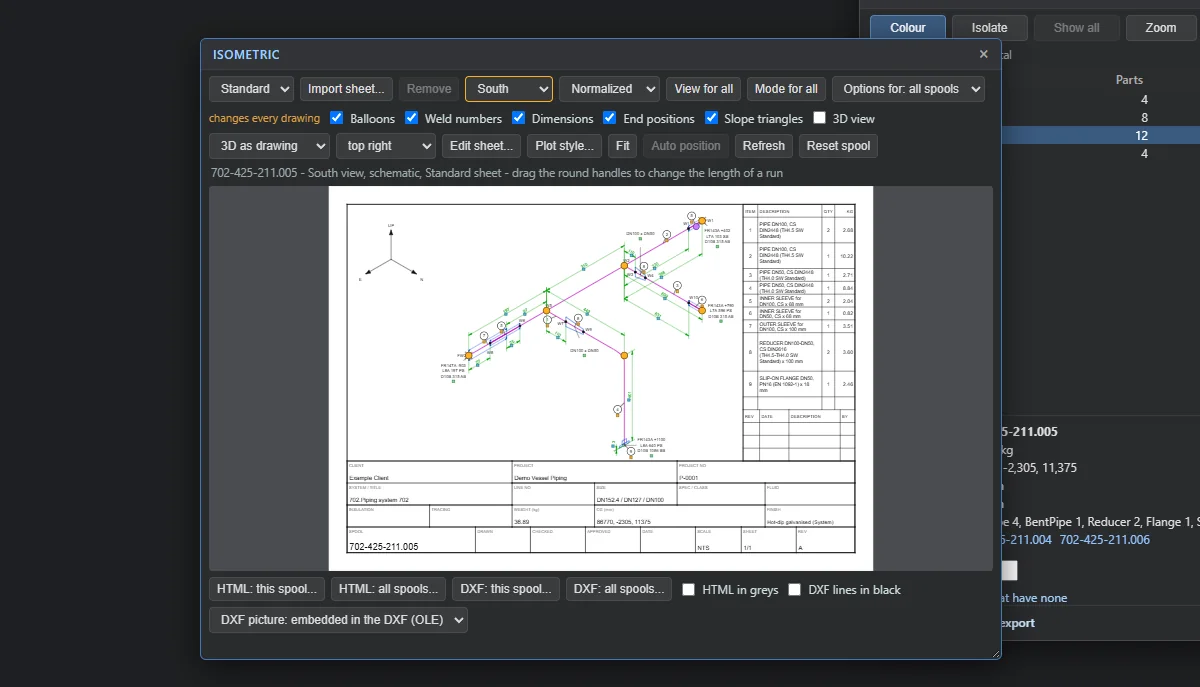
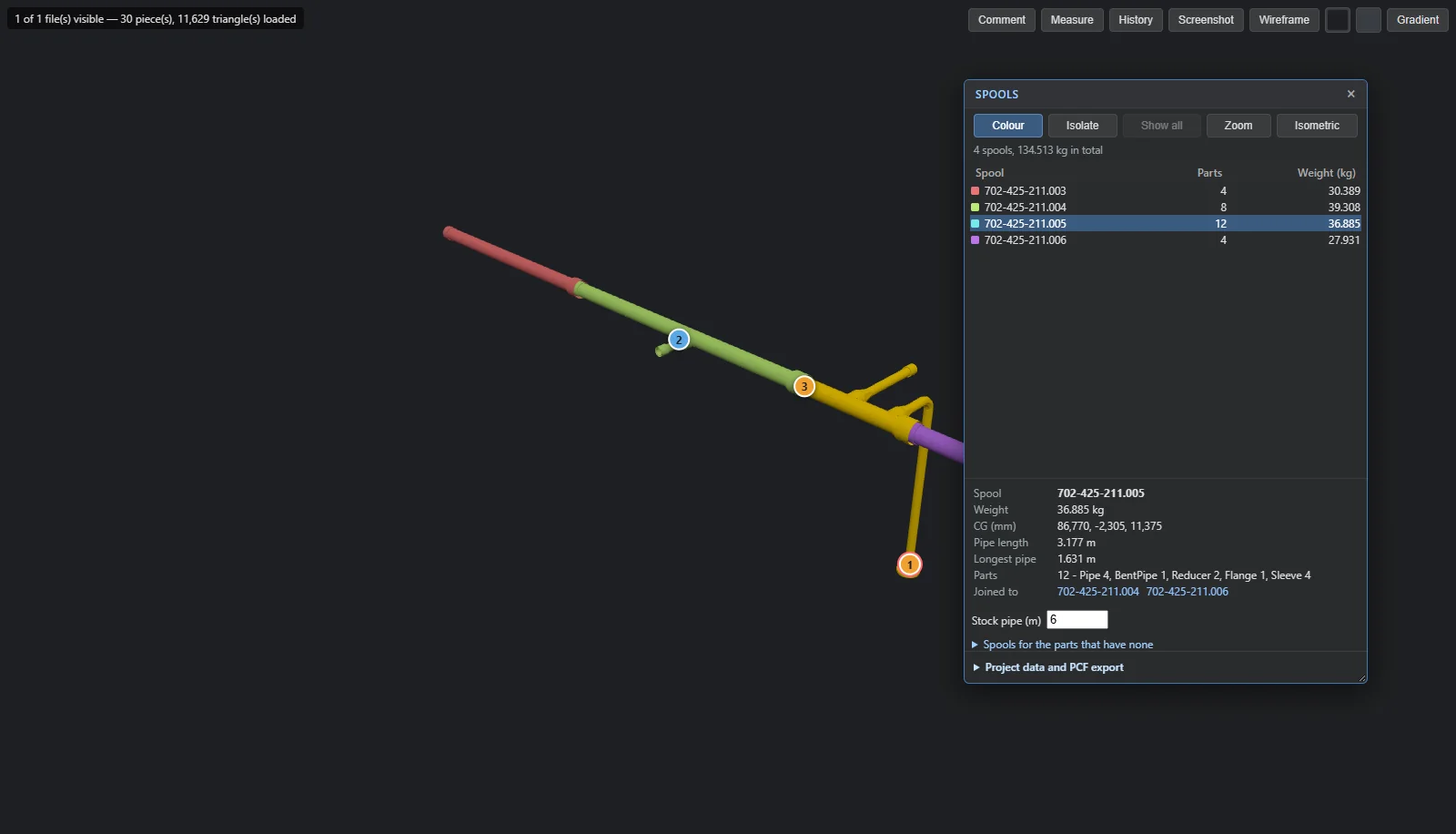
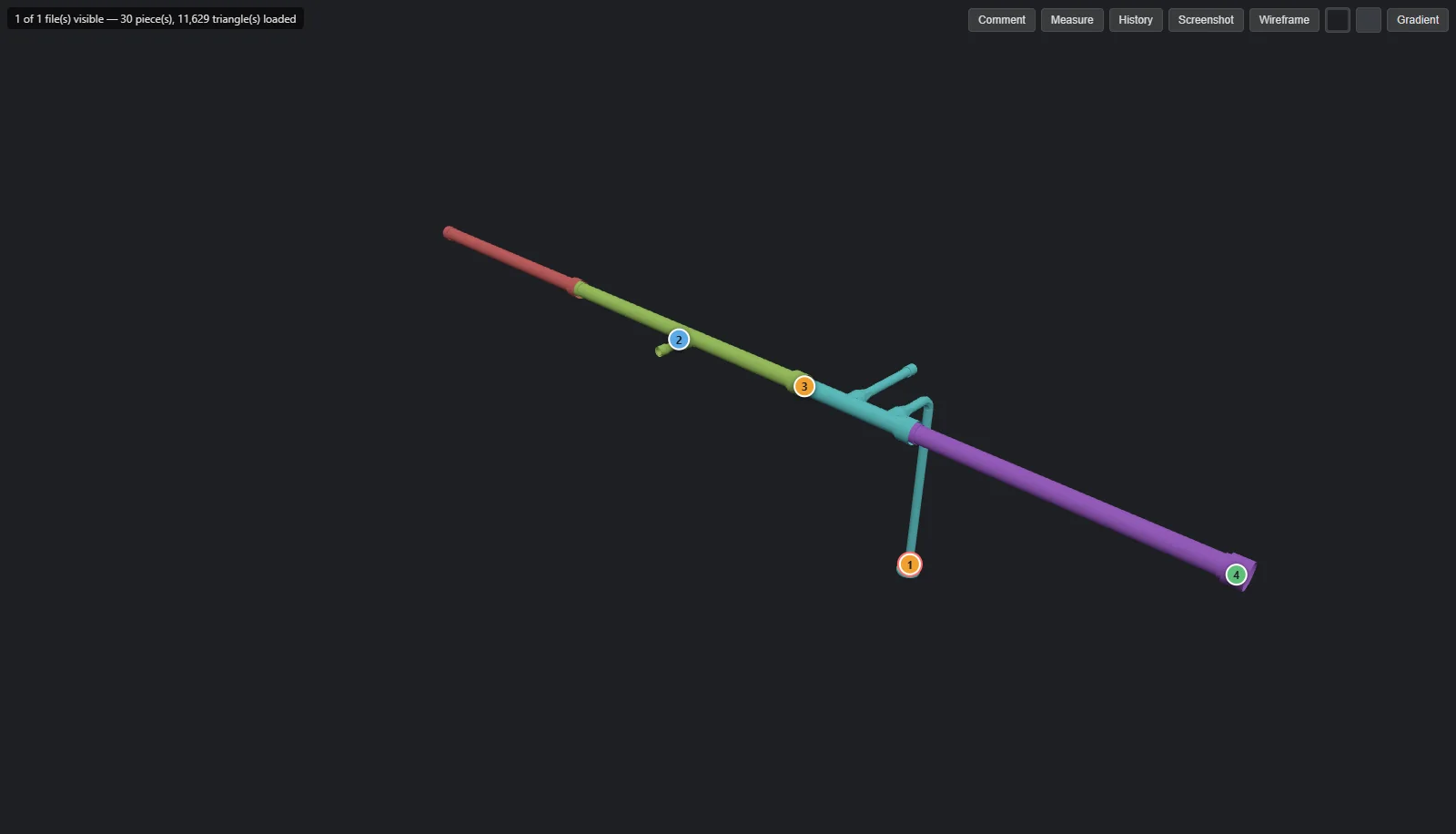
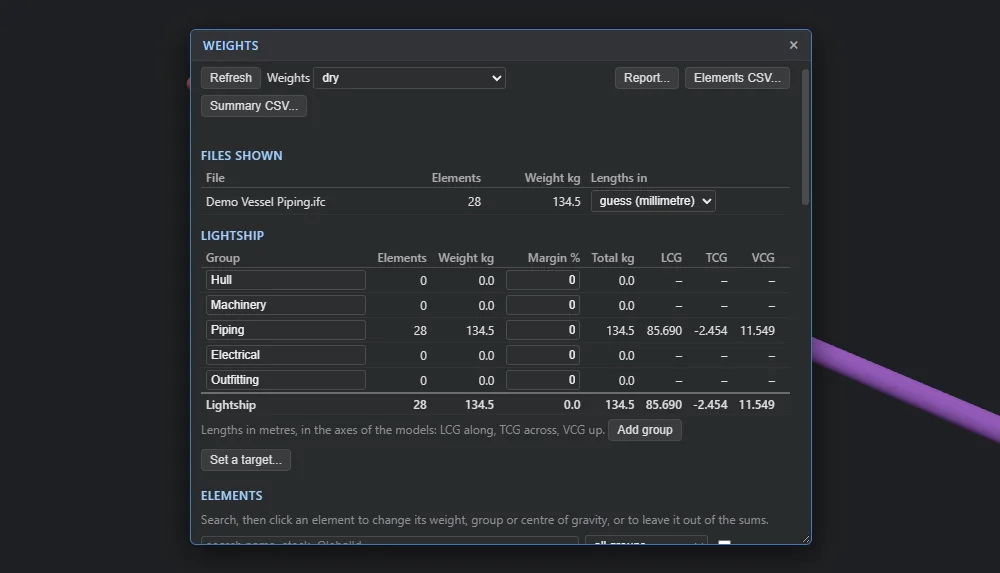
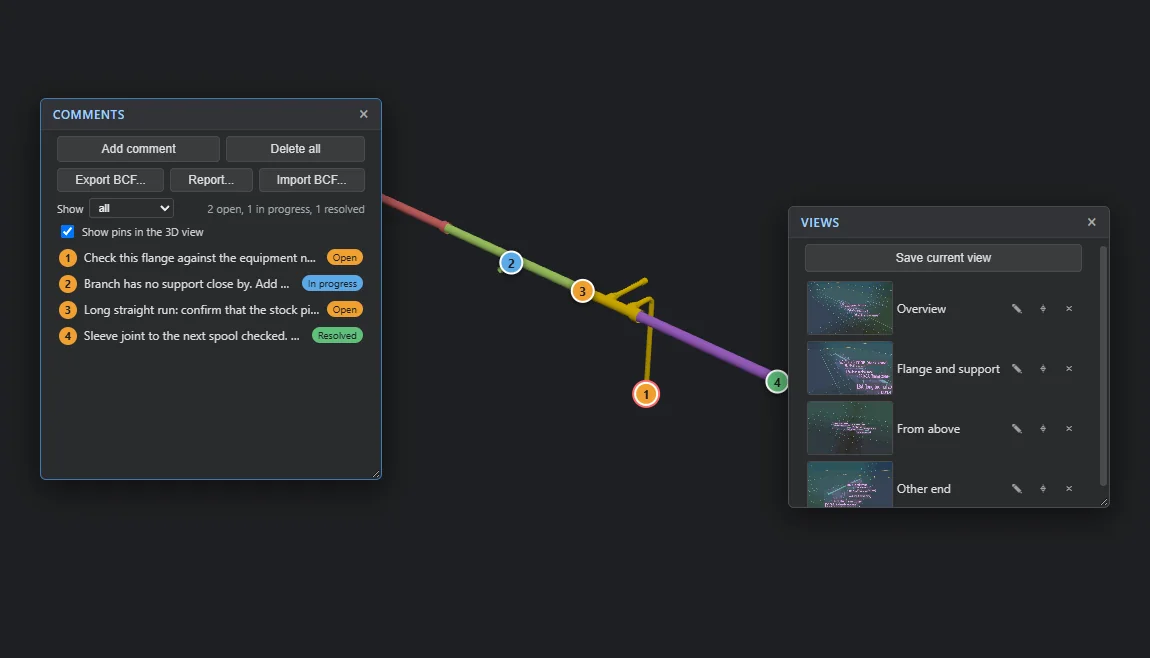
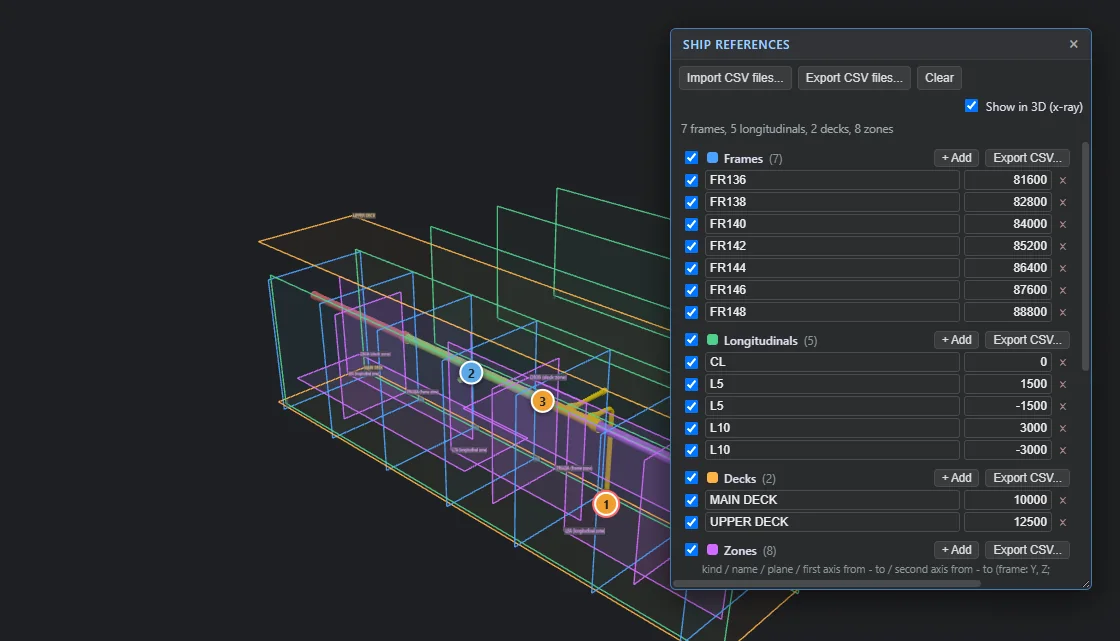
The example project is installed with the application: open it from File > Open example. The spool numbers belong to that model.
Load one or several IFC files. Models from ShipConstructor via the SC2IFC exporter are supported first.
Inspect in 3D, raise issues, build and edit spools, and see weights and centres of gravity update as you go.
Isometrics for every spool, piping files for downstream tools, review issues and reports — in one pass or one spool at a time.
Workbench runs entirely on your PC. Models, comments and drawings stay in files you control.
Workbench is a neutral platform with discipline packs on top. We add a pack when there is a real project behind it, not a slide.
3D viewer, status-tracked comments, BCF 2.1, HTML report, version compare, collision detection.
WorkingClassification, pipe network, spools with weight and CG, auto-spooling with manual edit.
WorkingIsometric sheets to DXF and HTML, custom DXF templates, validated PCF export.
WorkingLight ship by group with margins, tanks and loading conditions. Next: reports and more checks.
In progressDWG, DXF and Rhino import as IFC with layers and blocks kept, export back out. Solids not yet decoded — use ACAD2IFC for those.
WorkingWork packages, status and progress tracking driven by the model.
PlannedStructural, mechanical and more — each as a pack on the same platform.
PlannedIsometra is independent and hands-on: one software-developer and an AI partner, building the tools we wish existed.

He's a software developer building web apps, AI tools and indie games through EDOBGames. Isometra comes from years of hands-on work with 3D, marine tech and piping drawings — and a dislike of re-drawing what the model already knows.
Anthropic's AI model, pair-programming with Américo on architecture, code and tests across Workbench.
Isometra is the engineering brand of the studio behind EDOBGames.
No. Workbench is a standalone Windows application. Drawings are exported as DXF, which AutoCAD and most other CAD tools can open.
Workbench works with DXF only, by design. It reads and writes DXF and never touches DWG.
IFC files, including zipped IFC. The first discipline pack is built around ShipConstructor exports made with the SC2IFC exporter. Other IFC sources open for review, and get discipline support as real projects arrive.
Nowhere. Workbench runs on your computer, and your models, comments and drawings stay in files you control.
Windows 10 and 11, 64-bit.
Workbench is in early access; write to us from the contact section and early-access users get their licence first. Pro is €750 per user per year, and each of the three packs (Piping, Weights, Review+) is €300. See Pricing.
Working with IFC piping and want to try Workbench on a real job? Ask for a 14-day trial licence with every Pro feature, or email us and tell us about your project.